


Main Menu
The Main Menu runs across the top of the main window and is always visible.

Each menu item has submenu items. You must click onto a menu item because Windows F10 functionality is disabled in Open Dental.
Log Off:
Log the current user off of Open Dental. See Security to set up user groups, users, passwords, and permissions.
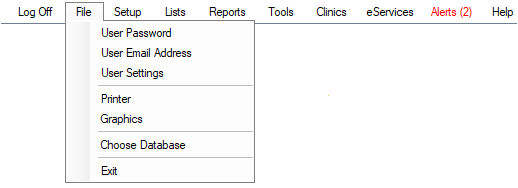
File
User Password, User Email Address, User Settings, Printers, Graphics, Choose Database. Exit closes Open Dental.
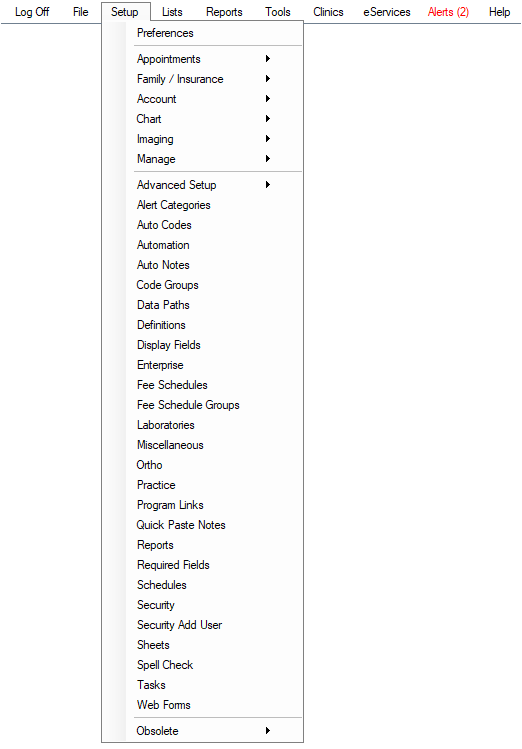
Setup
Most setup options require the Setup Permission to access. Some submenu items are divided into categories.
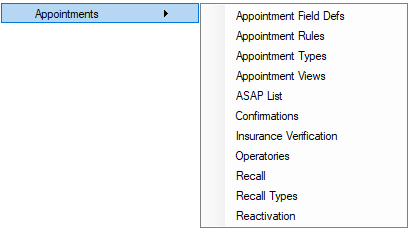
Appointments: Appointment Field Defs, Appointment Rules, Appointment Types, Appointment Views, ASAP List, Confirmations, Insurance Verification, Operatories, Reactivation, Recall, Recall Types, Setup Reactivation.
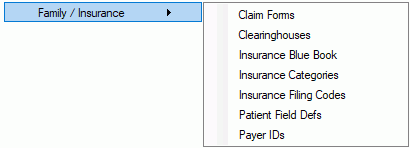
Family/Insurance: Claim Forms, Clearinghouses, Insurance Blue Book Setup, Insurance Categories, Insurance Filing Codes, Patient Field Defs, Payer IDs.
Account: Allocations Setup, Payment Plan Templates
Chart: EHR, Procedure Buttons

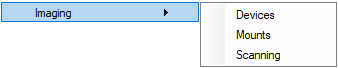
Images: Imaging Devices, Scanning, Mounts.
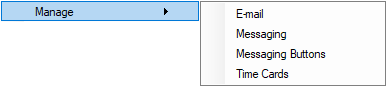
Manage: E-mail, Messaging, Messaging Buttons, Time Cards.
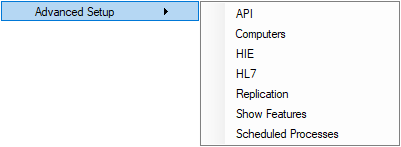
Advanced Setup: API, Computers, FHIR, HIE, HL7, FHIR, Replication, Show Features, Scheduled Processes.
Others: Preferences, Alert Categories, Auto Codes, Automation, Auto Notes, Code Groups, Data Paths, Definitions, Dental Schools, Display Fields, Enterprise, Fee Schedules, Fee Schedule Groups, Laboratories, Miscellaneous, Ortho, Practice, Program Links, Quick Paste Notes, Reports, Required Fields, Requirements Needed, Schedules, Security, Security Add User, Sheets, Spell Check, Tasks, Web Forms.
Obsolete: Letters, Questionnaire.
Lists
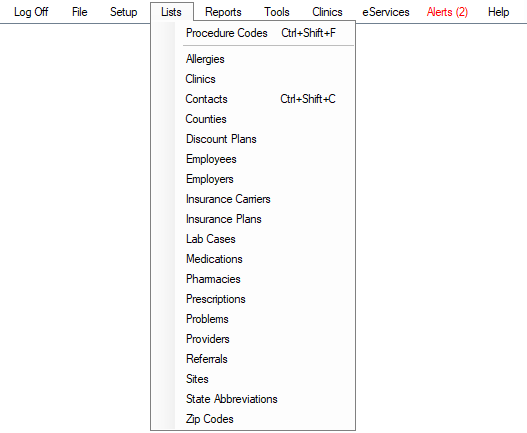
A central location to manage master lists.
Procedure Codes, Allergies, Clinics, Contacts, Counties, Dental School Classes, Dental School Courses, Discount Plans, Employees, Employers, Insurance Carriers, Insurance Plans, Lab Cases, Medications, Pharmacies, Prescriptions, Problems, Providers, Referrals, Sites, State Abbreviations, Zip Codes.
Reports
Standard, Standard Favorites, Graphic, User Query, User Query Favorites, eService Activity Log, Unfinalized Payments.
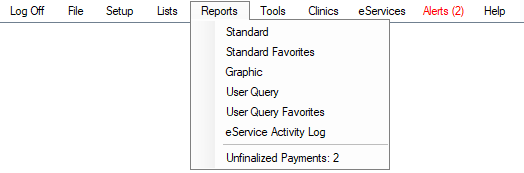 .
. Tools
Most tools require the "Setup" Permission to access.
Screen Snipping Tool (opens Windows Snip & Sketch), Print Screen Tool, Misc Tools (see below), Advertising (see below), Aging, Audit Trail, CareCredit Transactions (only displays when CareCredit is enabled), Billing/Finance Charges (only displays when Billing/Finance Charges are enabled), CC Recurring Charges, Certifications, Database Maintenance, Evaluations, Kiosk, Kiosk Manager, Late Charges (only displays when Late Charges are enabled), Mobile Sync, Ortho Auto Claims, Patient Dashboard, eRouting, Patient Portal Transactions, Pending Online Payments, Public Health Screening, Repeating Charges (only shows when Repeating Charges are enabled), Setup Wizard, Dental School Requirements Needed, Web Forms, Wiki, Zoom.
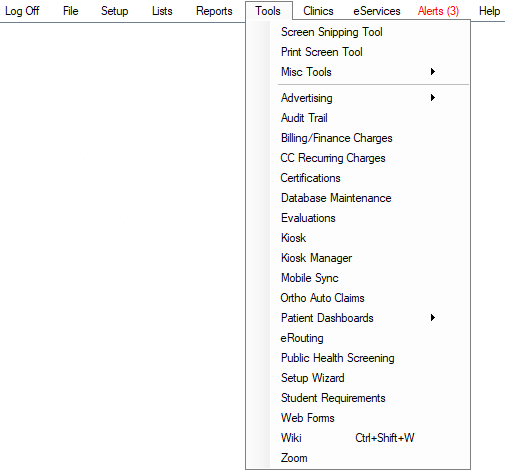
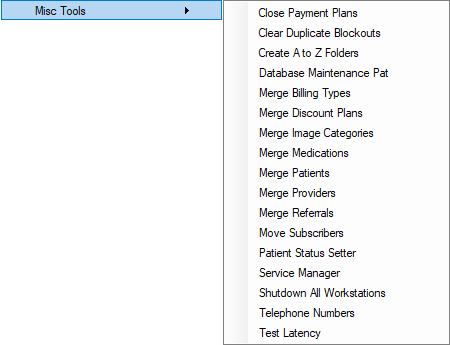
Misc Tools: Close Payment Plans, Clear Duplicate Blockouts, Create A to Z Folder, Database Maintenance Pat, Merge Billing Types, Merge Discount Plans, Merge Image Categories, Merge Medications, Merge Patients, Merge Providers, Merge Referrals, Move Subscribers, Patient Status Setter, Service Manager, Shutdown All Workstations, Telephone Numbers, and Test Latency.
Advertising: Advertising: Postcards

Clinics
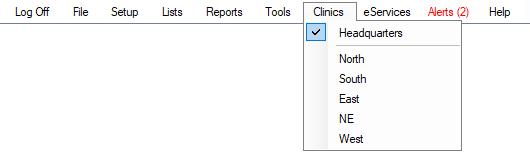
Only shows if Clinics is turned on in Show Features. Use the menu to select the default clinic interface. Options available depend on security settings and the logged-on user.
eServices

Alerts

Help
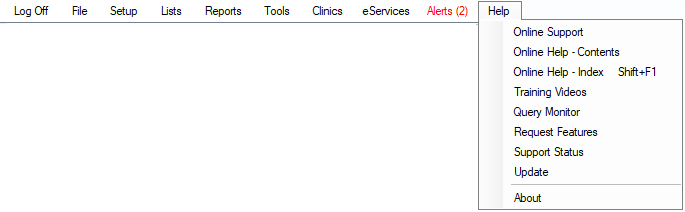
Online Support: Go to Open Dental's Contact page where you can connect to a support technician for assistance and troubleshooting.
Online Help - Contents: Open the User Manual Table of Contents.
Online Help - Index: Opens the User Manual Search page.
Training Videos: Opens the Webinars and Tutorials web page.
Query Monitor: Opens the Query Monitor window to allow real-time monitoring of queries to the MySQL database.
Payload Monitor: Open the Payload Monitor window. Only available for Middle Tier users.
Request Features: Open the Feature Requests system.
Support Status: Opens the Support Status window to see if your office is currently signed up for Monthly Support.
Update: Check for and download new versions of Open Dental. See Update.
About: Open the About window.