


Medical Insurance
Open Dental has features for medical insurance, making it useful in oral surgery and hospital settings.
 See our webinar: Medical Insurance
To see medical features in Open Dental, enable Medical Insurance in Show Features.
Insurance Plans
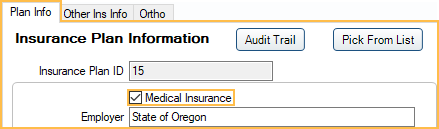
Patients can have unlimited insurance plans. To designate an insurance plan as medical, select the following on the Insurance Plan.
- Check the Medical Insurance box in the Plan Info tab.
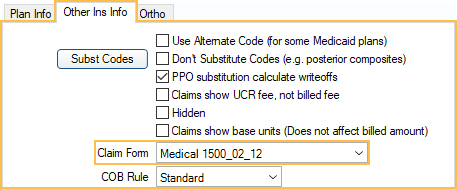
- Select the claim form for the plan in the Other Ins Info tab.
- HCFA 1500 Claim Form: If printed, must use preprinted forms due to its red background. They do not allow printing the background from a printer.
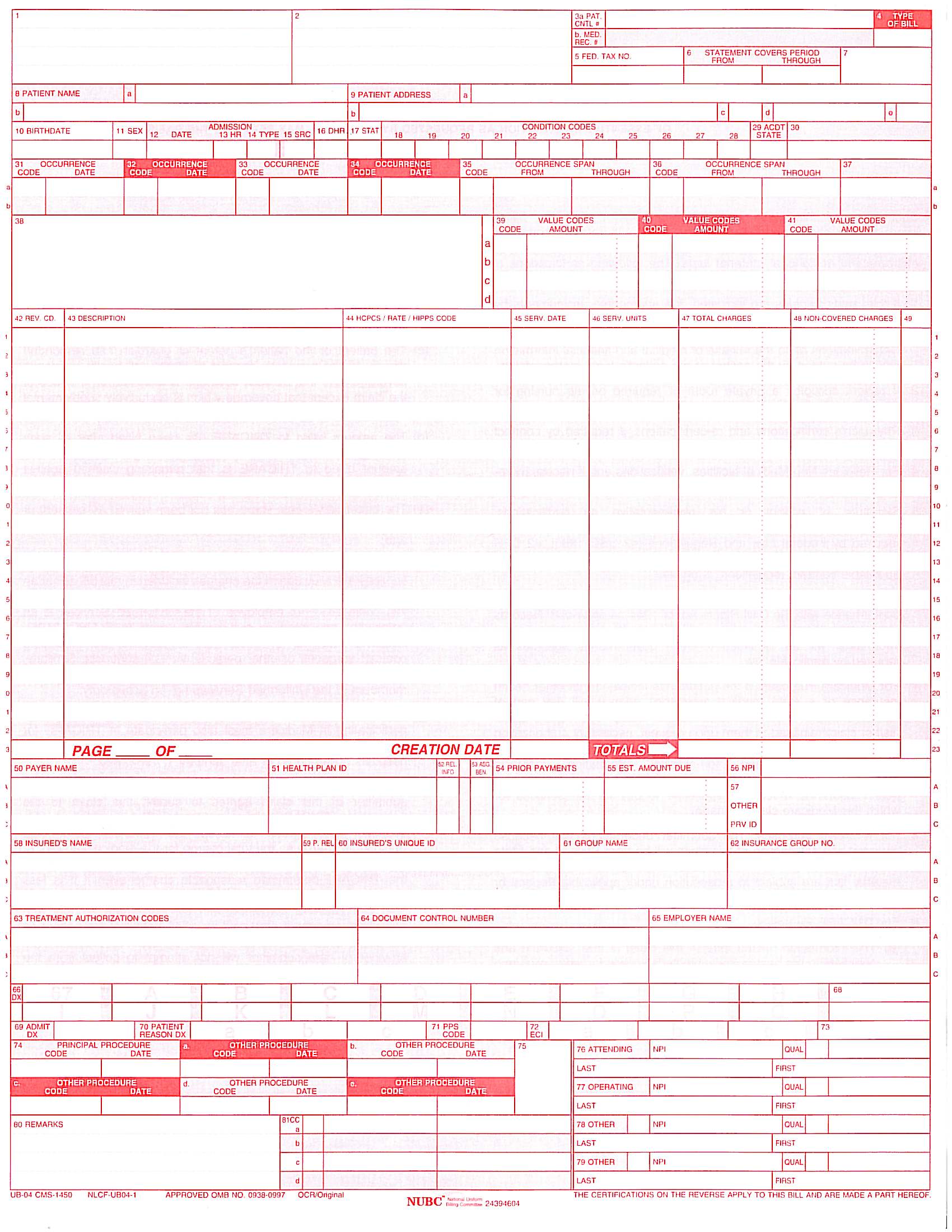
- UB04: Typically used for institutional claims. They are printed on preprinted forms, not sent in e-claims. See Edit Claim - Medical Tab.
- For the UB04 background, save this file to the OpenDentImages folder: UB04.jpg. In the Claim Form Edit window, uncheck Print Images.
Medical Procedure Codes
Cross Code medical codes to procedure codes.
Procedures
Medical information can also be entered on the Procedure - Medical Tab.
- Medical Code: This box is filled in automatically when the procedure code is cross coded to a medical code.
- ICD Diagnosis Codes: Multiple ICD-10 codes can be used in conjunction with procedure codes. When attached to a procedure, one procedure for each visit needs to have Principal Diagnosis checked.
- E-claim Note: Required for medical procedures ending in 99.
Claims
Create medical claims in the Account Module.
To create a medical claim, use the New Claim dropdown, then click Medical.
- The Claim Type is automatically set to Medical when an insurance is marked as Medical. See Claim Types for details on how insurance setup affects claim type.
- If procedure codes are cross coded to medical codes, the medical codes are sent.
- Change the Med/Dent or Claim Form settings on the Claim as needed.
- Med/Dent is automatically set to Medical when creating a claim for insurance marked Medical Insurance. When Set medical claims to institutional when using medical insurance is enabled in Preferences, medical insurance claims are automatically set to Institutional by default instead.
- The Claim Form is selected automatically based on the claim form selected in Insurance Plan Setup, Other Ins Info tab.
E-Claims
Use Change Healthcare Medical E-Claims or Electronic Dental Services - Medical for medical claims.
- Medical vs Institutional: There are two formats for medical e-claims, medical (837-P) or institutional (837-I). The default is medical. To change, see Preferences, Set medical claims to institutional when using medical insurance. The type can also be changed on individual claims (Edit Claim window, Med/Dent).
- Clearinghouses: Set the default medical/institutional clearinghouse (separate from the dental default). Dental clearinghouses cannot accept medical or institutional claims. If generating claim files from Open Dental and uploading them manually to Medicaid, a default clearinghouse is still needed to specify the Claim Export Path. Medical and institutional claim format is only 5010. Dental claim format can be 4010 or 5010 and can be changed as needed.
- Send Claims: Send batches of claims to one clearinghouse at once. See Send Claims. Note: To determine the format, information is required from both the claim.MedType and the clearinghouse.Eformat. Neither alone is sufficient.
Once messages are generated, they are archived in the etrans table in the database for later retrieval. These archived claims may be seen in the history list at the bottom of the Insurance Claims window. All 4 claim types (med5010, inst5010, dent5010, dent4010) show as claim sent in the archival.