
Help

Search
Dental School Planner Overview
Dental School students can use the Student Planner to track various activities.
In the Main Menu, click Tools, Planner.
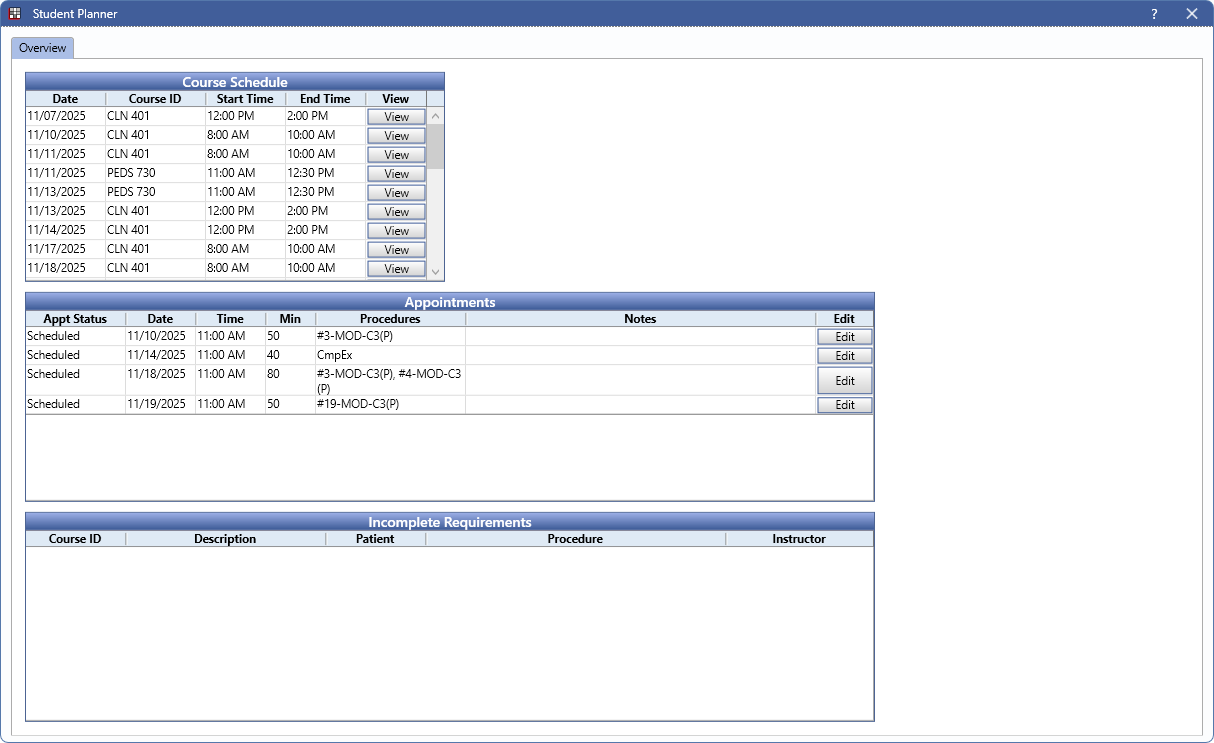
Only available when Dental Schools is enabled in Show Features and the logged on user is a student. Use the Overview tab to track courses, appointments, and incomplete requirements.
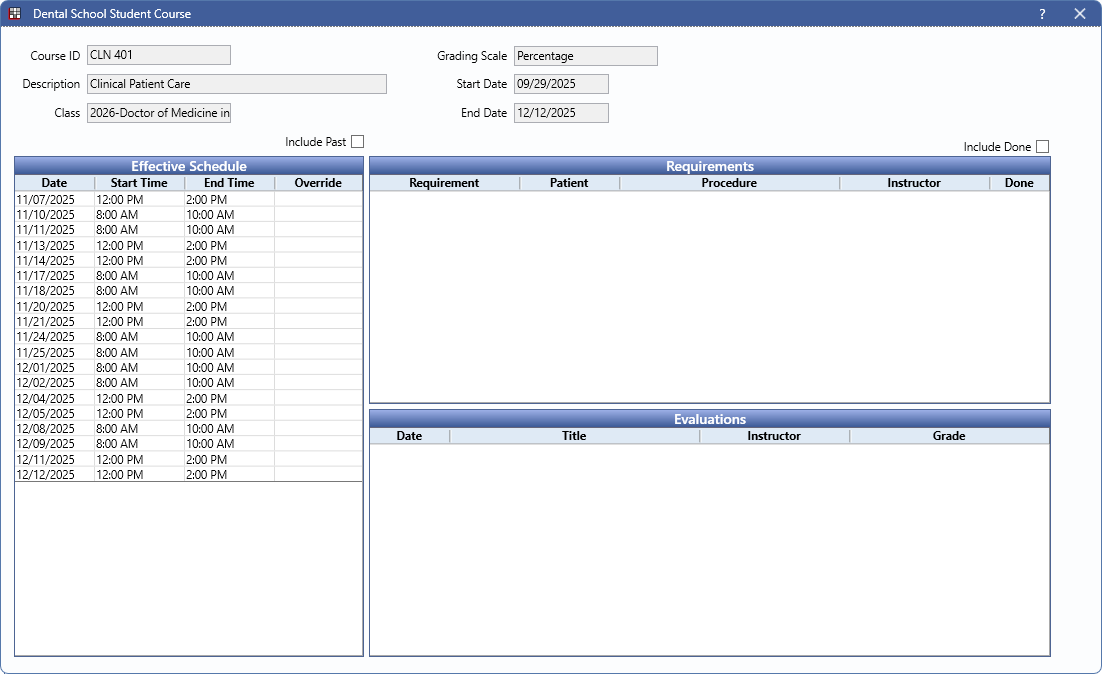
The Course Schedule grid displays course and course times. Click View to open the student view of the course.
The Appointments grid displays upcoming patient appointments. Click Edit to open the Edit Appointment window.
The Incomplete Requirements grid displays requirements that need to be completed by the student.