

Search
Dental School Security
Determine the security permissions for students, instructors, and other users.
In the Main Menu, click Setup, Security.
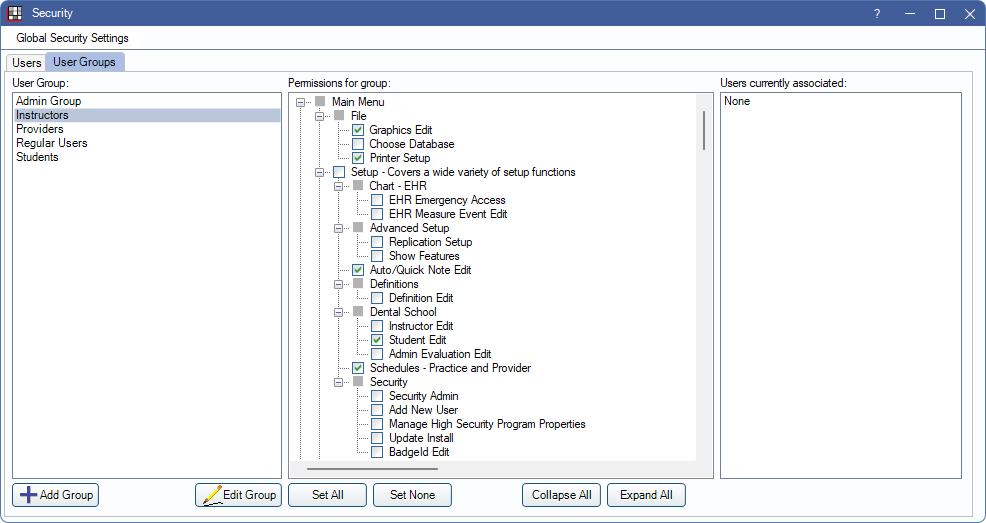
For Dental Schools, students, instructors, and other providers are assigned to User Groups, and each group has specific security Permissions that determine a user's access to various features.
User Groups and Security Permissions
By default, when Dental Schools is enabled, user groups are created for Instructors and Students. These groups are linked to Dental Schools in Dental School Setup. This determines the user group assignment when adding each new student or instructor.
Both groups are associated with default permissions. It is recommended to review, add, or edit permissions for each group as needed.
- Instructors: All instructors have the ability to create student evaluations; this is not related to a security permission. To set up evaluations, the instructor user group should have the Setup security permission.
- Students: Students should not have access to permissions that involve system setup or security.
User names and passwords
Each student, instructor, and other providers need a unique user name and password to Log On to Open Dental. These are assigned when adding the providers:
- For instructors, see Dental School Instructors.
- For students, see Dental School Students.
- For other providers, see Dental School Providers.