
Help

Search
eForm Pick
Open Dental is preloaded with various internal templates that can be copied and edited, or eForms can be created from blank.
In eForms, click Add.
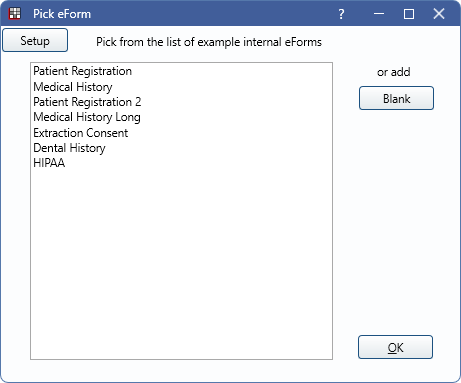
Alternatively, the Pick eForm window displays when:
- adding an eForm to the Forms list in eClipboard Setup.
- adding an eForm to a patient in Patient Forms.
Internal eForm templates are designed for use by any office. Double-click an existing template to create a copy. Click Blank to create a new eForm.
Setup: Click to open the eForms window. Only displays when adding an eForm to a patient.