

eServices Signup
The Signup Portal is used to sign up for eServices.
In the eServices Setup window, click Signup.
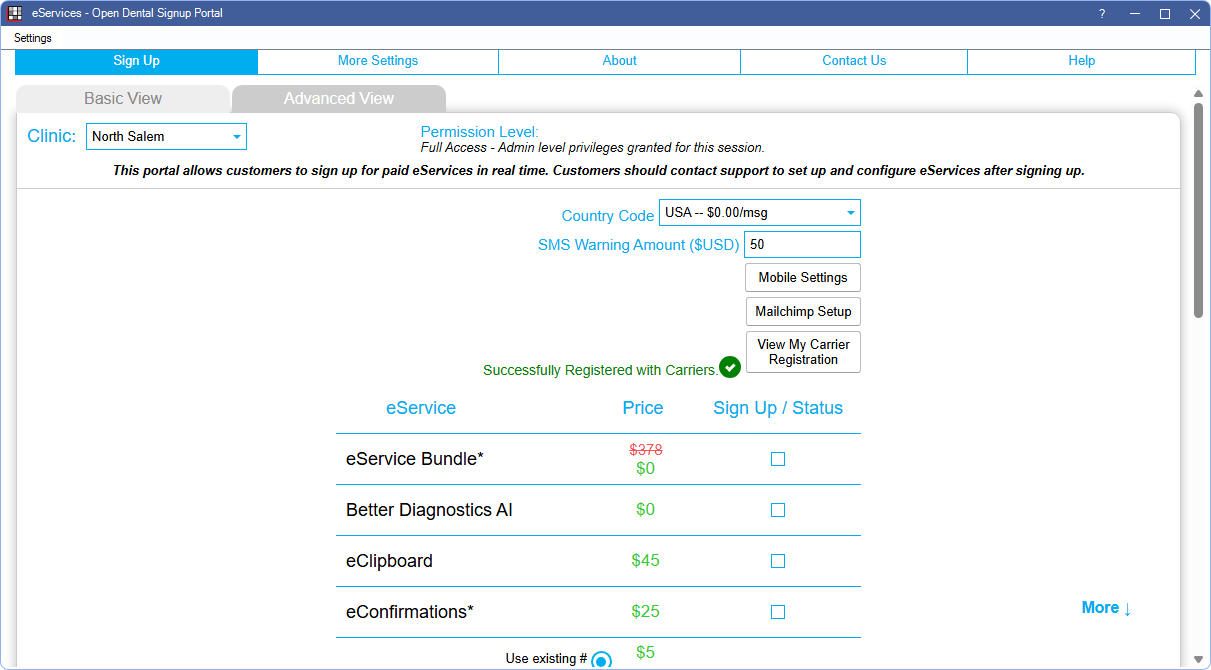
For more information on our available eServices, see eServices
Note: Fees displayed on the screenshot above may not be current. Refer to Fees for Support and Services for the most up-to-date pricing.
For detailed information on using the Signup Portal, see:
- eServices Signup Basic: This view opens by default when there is one location.
- eServices Signup Advanced: This view opens by default when using Clinics.
Using the Signup Portal
- For Open Dental Cloud users, the Signup Portal opens in a new session.
- Users must have the Security Admin permission to make changes.
Hover the mouse over a service to view service description and terms. Check the box next to each service to enable it.
- When eServices Bundle is selected, boxes for all services included in the eServices Bundle (all eServices excluding ODTouch, Mass Email, and Better Diagnostics AI) are checked. The Total $ amounts automatically update to reflect fees.
- Integrated Texting access fee is included with eConfirmations. Per outgoing message fees still apply.
- Patient Portal and Web Forms are free for those on support. Thus, in the Signup Portal, these options are always checked.
Click Save to keep changes. New charges are reflected within two billing cycles.
Discontinue a Service
To discontinue a service, uncheck its box in the Signup Portal and click Save. Click the Info box in the upper right to see the Next Bill Date.
When discontinuing a service, access to the service is available for the remainder of the day.