

Open Dental Cloud Client
Open Dental Cloud requires the OpenDentalCloudClient to launch third-party integrations.
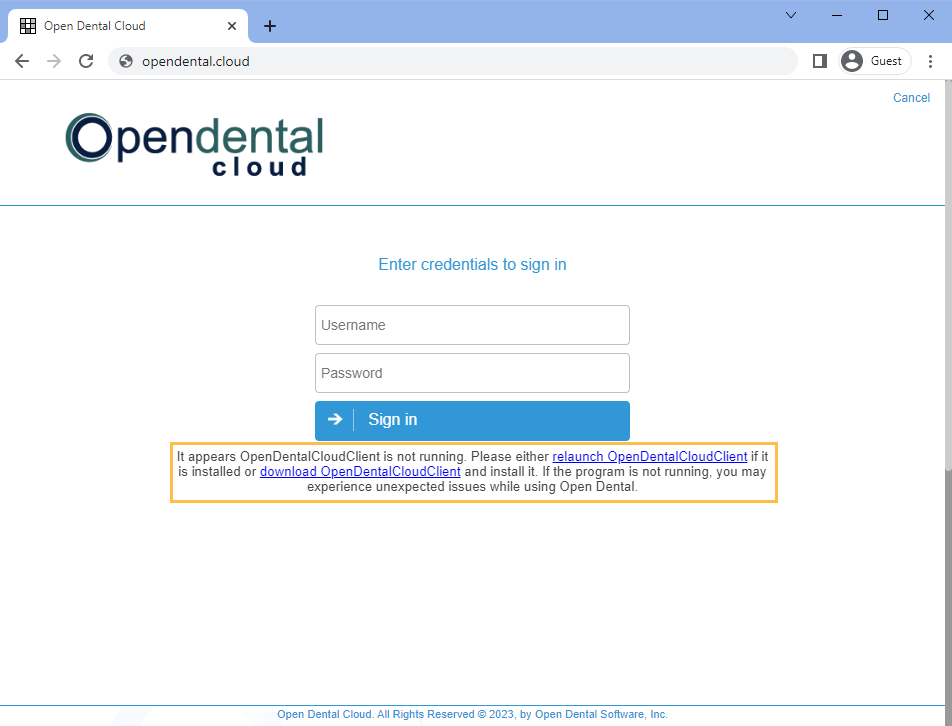
The OpenDentalCloudClient is not required to access Open Dental, but users receive a warning if it is not installed.
Installation
Click to install the ODCloudClientInstaller.msi
Alternatively, install from the Open Dental Cloud site:
- Click the download OpenDentalCloudClient link.
- The installer will appear in the downloads folder.
- Double-click ODCloudClientInstaller to run it.
- If Microsoft Defender blocks the installation, click More Info, then Run Anyway.
Computers installing the OpenDentalCloudClient must meet the Computer Requirements.
Updating OpenDentalCloudClient
The OpenDentalCloudClient keeps itself updated via Powershell. Users may be required to allow Powershell to launch when starting Open Dental Cloud after an update has been implemented.
Purpose
The purpose of OpenDentalCloudClient is to:
- Allow copy/paste using the clipboard.
- Capture the local computer name for various settings.
- Facilitate Program Links.
- Access TWAIN drivers to acquire images.