


Owandy Bridge
In the Main Menu, click Setup, Program Links. Double-click on QuickVision from owandy.com.
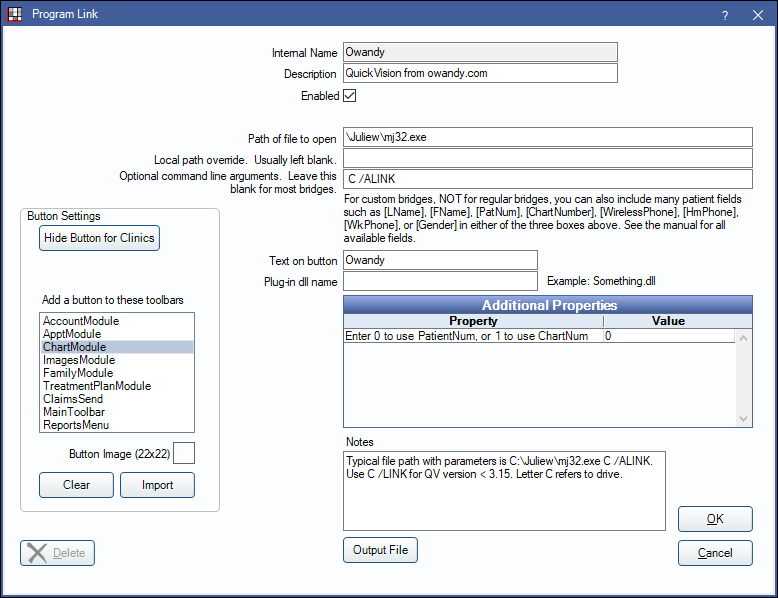
Owandy is an imaging software. Website: www.owandy.com.
To enable the bridge:
- Check the Enabled box.
- Verify the Path of file to open.
- Double-click on Additional Properties to change settings. Use the PatNum (enter 0) or ChartNum (enter 1) as the patient ID.
- Set up a clickable bridge button.
- Under Add a button to these toolbars, highlight where to display the button.
- Enter the Text on button.
- (Optional) Import an image to show on the button (22 x 22 pixels).
- Click Save.
Technical Details
This bridge launches Quick Vision using command line arguments, then passes some data to Quick Vision using Windows API calls. Open Dental passes the patient PatNum, last name, and first name to Quick Vision. Owandy must be opened in the background for the bridge to launch properly.