


Preauthorization
Practices can create preauthorizations, similar to a claim, to send to insurance prior to completing any treatment in order to get an estimate of what is covered under a patient's insurance plan.
In the Treatment Plan Module, with desired procedures selected, click PreAuthorization.
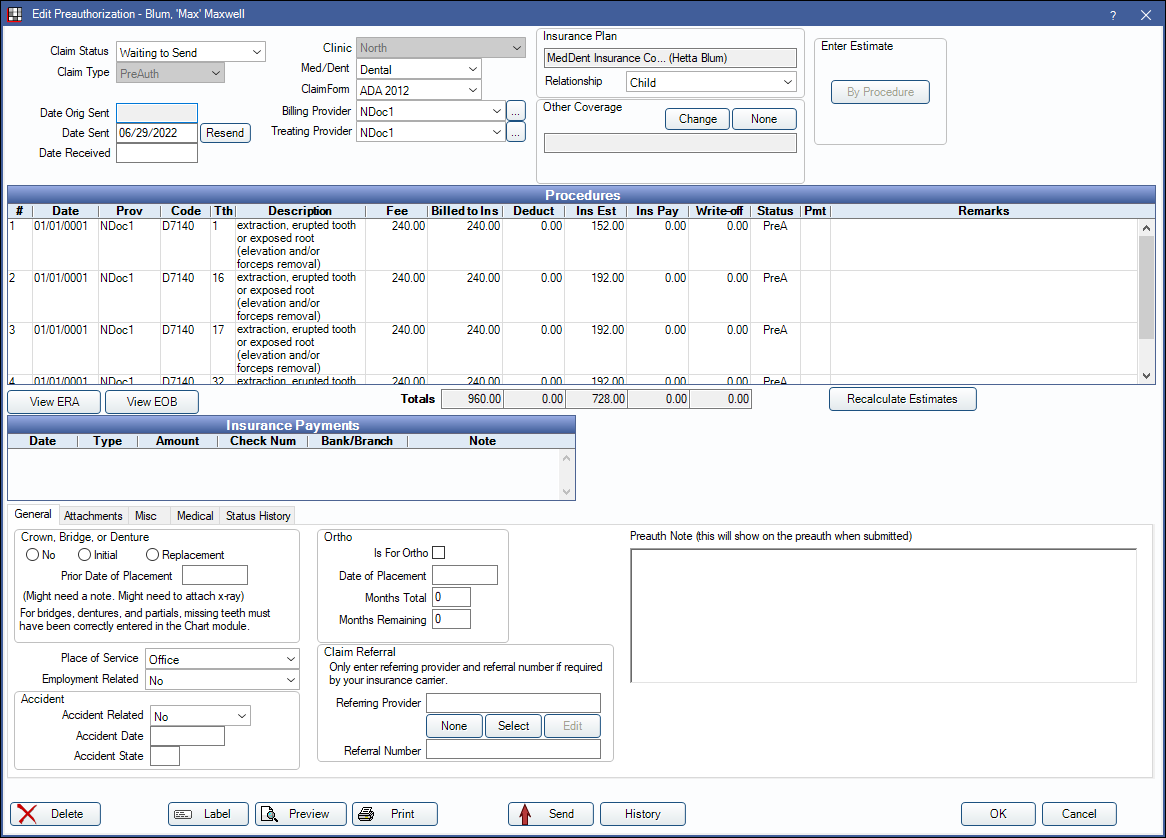
A preauthorization is very similar to an insurance claim, except that when it is sent, the date of service is left blank. The insurance company reviews the procedures sent and decides whether they are covered under the patient's contract. They will send back a form with an estimate of how much will be covered for each procedure.
The Edit Preauthorization window is similar to the Edit Claim window. For details on fields, see Claim.
Create a Preauthorization
- In the Treatment Plan Module, highlight one or more procedures.
- In the Toolbar, click PreAuthorization.
If there is more than one active plan, the Select Insurance Plan window will open: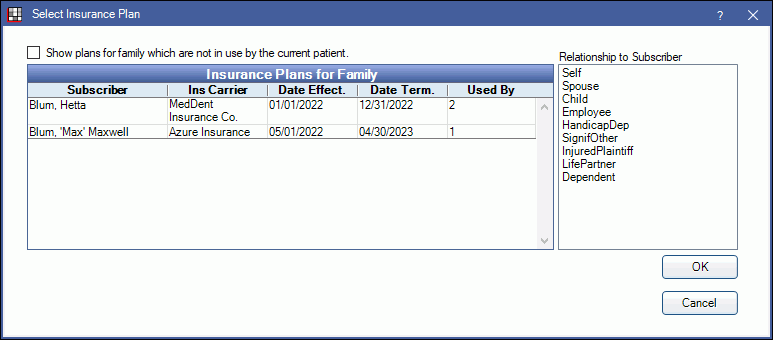
Select the plan the preauthorization is for, and the relationship of the patient to the plan subscriber, then click OK.- Show plans for family which are not in use by the current patient: Check to list all insurance plans for the family, including inactive or dropped plans
- A preauthorization will be created for the selected procedures.
- Print or send the preauthorization electronically. Once sent, only users with thePreAuth Sent Edit permission can make edits.
Other Coverage: If other coverage (e.g. secondary coverage) needs to be included when sending the preauthorization, Click Change next to Other Coverage and verify the Relationship to Subscriber. This option can also be used to set primary coverage if this is a preauthorization to a secondary insurance plan. If primary has already been received with no other coverage selected, send a new preauthorization for the secondary insurance only.
Manage Preauthorizations
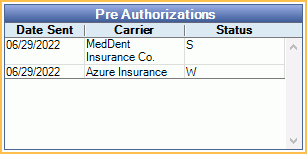
Preauthorizations for a patient are listed in the top right of the Treatment Plan Module. When a user clicks on a preauthorization, all procedures attached to that preauthorization will highlight for easy viewing.
Double-click a preauthorization to view details.
Receive a preauthorization
When the preauthorization comes back from insurance:
- Double-click on the preauthorization.
- Click By Procedure in the upper-right corner.
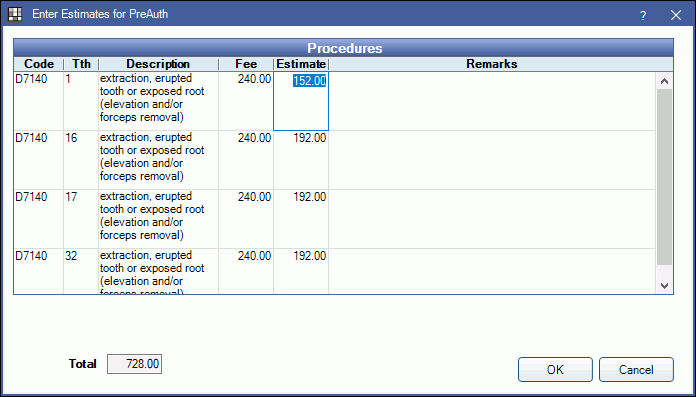
- Click in the Estimate cell to enter the estimate given on the EOB.
- For reference, enter the preauthorization number sent by the insurance company and any remarks. When a user creates the final claim on the Edit Claim window, they will need to enter the number from the preauth note in the Predeterm Benefits field.
Estimates are added as overrides to the insurance estimate Claim Procedures ( claimprocs ) and are reflected in Treatment Plan estimates.
Check Preauthorization Status: Check the status in the upper-right of the Treatment Plan Module, or use the Outstanding Insurance Claims Report and include preauths.
Attachments
Attachments can be added to preauthorizations as needed. See Edit Claim - Attachments Tab and DentalXChange Attachment.
Estimated Patient Portion / Patient Responsibility
Estimated write-offs cannot be entered when receiving a Preauthorization.
If Show Patient Responsibility column in the Edit Claim/Payment windows is enabled in Preferences, the estimated patient portion displayed on a Preauthorization may be higher than the actual patient portion if there are estimated write-offs or if the patient has other insurance coverage. The PatResp column is designed to show patient responsibility when receiving a claim.
Reference the Treatment Plan Module for the Pat estimate or the Claim Procedures ( claimprocs ) for Estimated Patient Portion instead.