


PT Dental Bridge
In the Main Menu, click Setup, Program Links. Double-click on PT Dental.
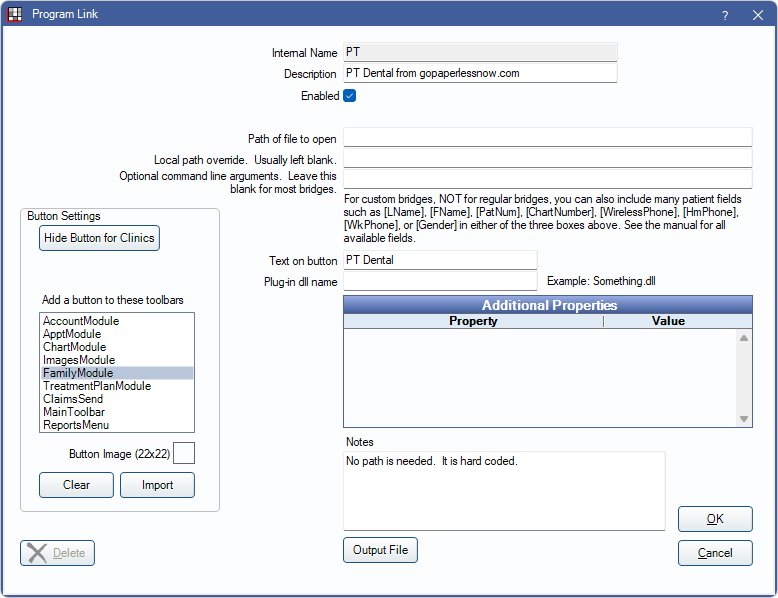
PT Dental offers paperless technologies. Website: www.gopaperlessnow.com. This functional 2-way bridge handles Registration Forms.
First enable PT Dental:
- In Program Links, double-click on PT Dental from gopaperlessnow.com.
- Check the Enabled box.
- If using clinics, click Hide Button for Clinics. Select which clinics the button should display on.
- Click Save.
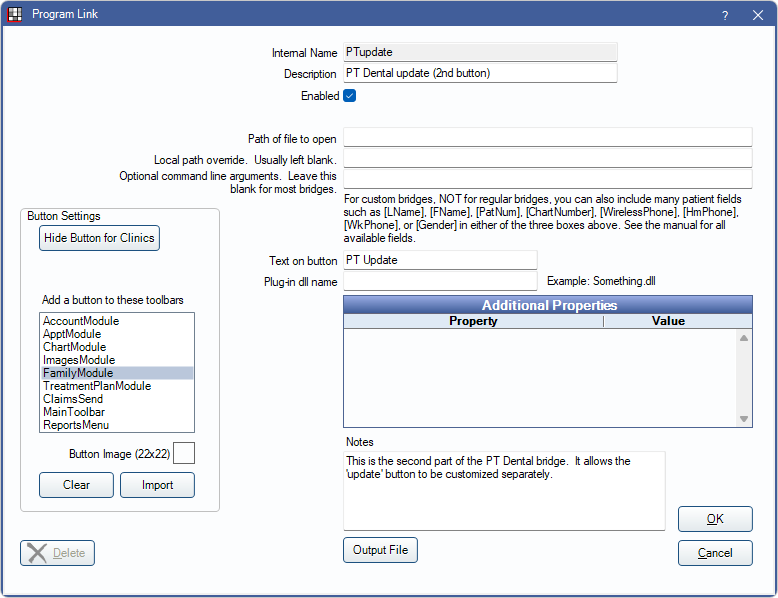
Next enable PT Dental Update:
- In Program Links, double-click on PT Dental update (second button).
- Check the Enabled box.
- If using clinics, click Hide Button for Clinics. Select which clinics the button should display on.
- Click Save.
Using PT Dental
- Create the patient in Open Dental.
- Click PT Dental to send the patient data to PT Dental. This ensures both programs have the same patient data.
- Also use the PT Dental button any time the patient needs opened in PT Dental.
- If the patient fills out a form in PT Dental, whether online or in the office, certain patient data may need to be updated. This includes demographics, insurance, referrals, and med alerts. Use the button in PT Dental to send this information to Open Dental.
- A message displays confirming that the transfer was successful.
- See the newly created Commlog entry for details that couldn't be automatically transferred, such as insurance and referral.
- If changes are made in Open Dental which need sent to PT Dental, use the PT Update button in the Open Dental toolbar.
Technical Details
The data transfer involves about 6 different files, all in C:\PT\USI. This path is hard coded. Both PT Dental and Open Dental know which filenames to use when passing data back and forth. They also know how to watch for new files so that there is no delay. The files involved get deleted immediately after they are consumed.
The Open Dental PatNum is used as the primary key in all data transfers. So any field can be changed, including last name, first name, and birthdate without confusing the synchronization functionality.
Patients may use PT Dental to fill out forms in the office or online. When they do it online, PT Dental is responsible for synchronizing the data between its website and each locally installed PT Dental program. From there, the data is transferred to Open Dental. PT Dental also provides a scripting program that simulates mouse clicks and keystrokes to interact with Open Dental.
The PT Dental script attempts to open the Open Dental Referrals window for the patient. But there is no button in the user interface. So Open Dental allows a key shortcut of Ctrl-X . The script then uses this keystroke to open the Referrals window.