


Language Translation
Open Dental's translation tool is a way for an office to enter translations specific to the software on their own.
In the Main Menu, click Tools, Language Translation.
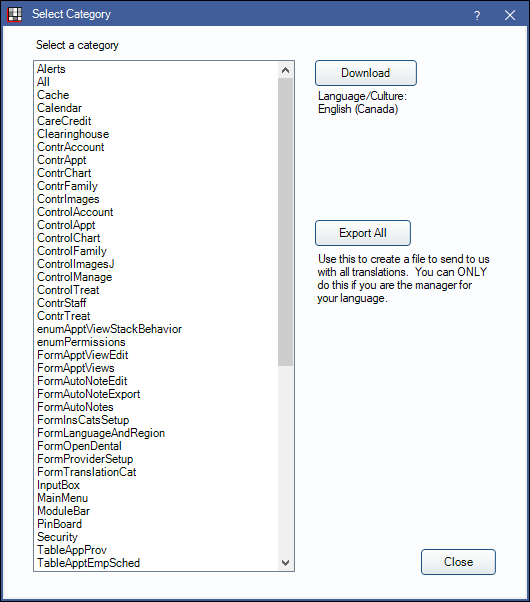
- This menu item is only visible if the computer's Region and Language setting is something other than English (United States).
- For information on setting the patient's preferred language, see Language.
- For information on translating sheets, see Language Translations for Sheets.
- Most changes in this window require a restart of Open Dental to take effect.
- Some language translations may need to be re-entered after updating Open Dental.
Users must input translation manually. See Translations section below.
Translations allows users to view Open Dental in their preferred language. Language support is built into Open Dental. The code is written to automatically adapt to the user's Region and Language Settings. Translations are specific to the culture (country), not just the language. If a translation has not been made specifically for the local country, the code uses a translation for the same language from a different country.
Set the computer's Region and Language Settings to the local language/country, then restart Open Dental for changes to take affect.
Download: The following is available for download:
- es-MX.txt (Spanish - Mexico)
- fr-CA.txt (French - Canada)
Export All: Export custom language settings to share with other offices. To share the translation with another office, Contact Us and Open Dental Support can assist with importing translations into another database.
Translations
All translated words and phrases are organized by category. The category usually corresponds to the name of window each item is displayed in. To understand the various categories and windows, users need to become familiar with the program. As they access areas in Open Dental, English phrases are dynamically added to the translation tool. The more they use the program, the more categories show, and the more phrases are available to translate. The program is designed this way to help users more easily identify and translate the areas of the program that they actually use.
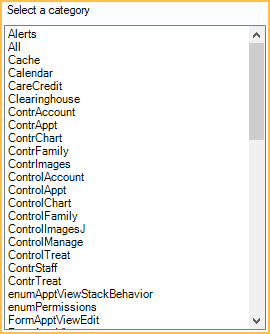
Double-click on a category to enter custom translations.
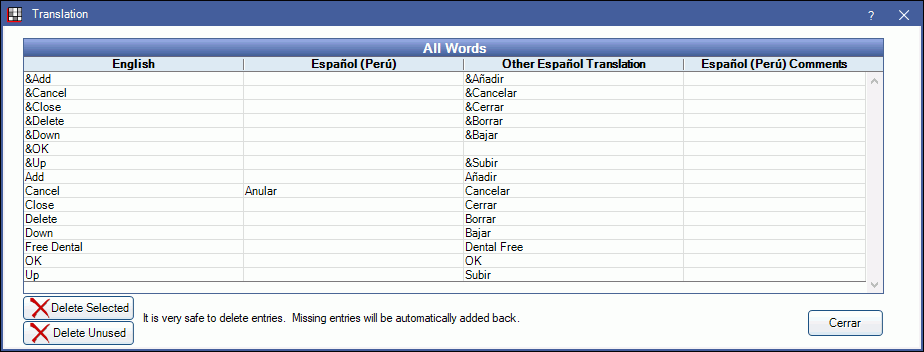
This window shows all the available phrases and translations for a category. The more users work with the program, the more phrases that appear.
Double-click on an item to edit.
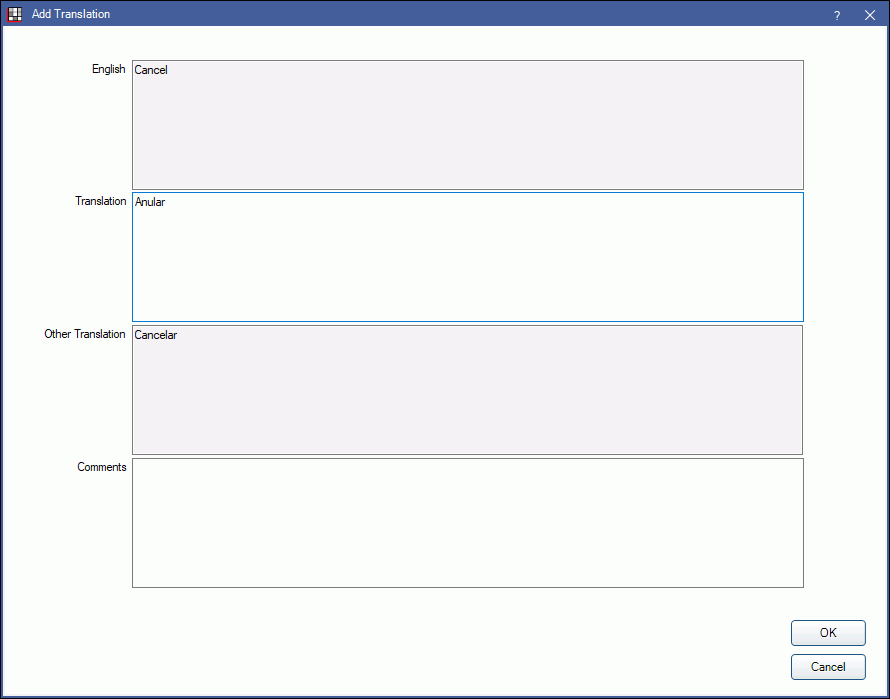
English: Users cannot add English comments; it is for Open Dental internal use only.
Translation: Enter the translation. If a phrase needs to be left blank, enter a space. (e.g., for Social Security Number). A space is very different from an empty field. A space makes the word show up empty; an empty field retains the English version.
Other Translation: Shows any other available translations for a language. For example, if the computer language is set to Spanish-Peru and the translation for Spanish-Mexico is downloaded, the downloaded translation appears here.
Comments: Enter any comments.
Custom Fields
Some fields in Open Dental are not accessible via the translation tool because they are easily customizable for all users. Refer to many of the options in the Main Menu, Setup.
- Display Fields: Define which fields appear in various Open Dental windows (e.g., patient information, procedure information). Enter translations as field descriptions.
- Patient Fields: Create and translate custom patient fields that show in the Patient Information area of the Family Module.
- Appointment Field Defs: Create and translate custom Appointment fields that show on the Edit Appointment window, and can be displayed in an Appointment View.
- Definitions: Define and translate category/list options that are used throughout the program.
- Operatories: Define operatory names.
- Procedure Codes: Set up procedure codes and translate descriptions and notes.
- Setup Recall and Confirmation Setup: Translate recall and confirmation messages.
- Auto Notes
- Fee Schedules
- Insurance Categories
- Messaging